Product Positioning
The Weld Point Assistant is intelligent weld point lifecycle management software deeply integrated with PDMS/E3D. It completely solves the pain points of traditional design: “models have no weld points, manual weld pointing is inefficient, and weld point counts are hard to tally”. By filling weld points in batches with one click according to the model structure, combined with highly customizable generation rules and automatic numbering logic, it closes the weld point lifecycle loop from creation and management to report output, so prefabrication, materials and settlement are all documented.
One-click batch addition, no more manual point-by-point work
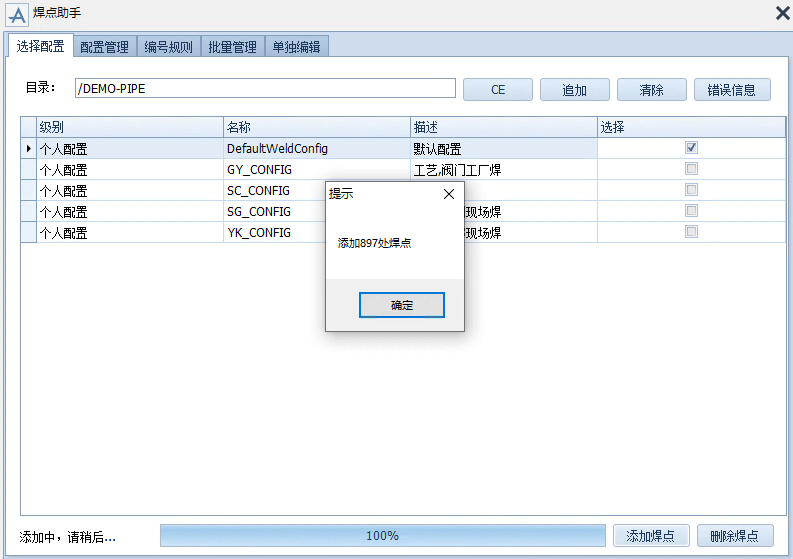
However large the model and however many thousands of weld points there are, just select the target directory and click 【Add Weld Points】, and the system fills in all solid weld points automatically according to the model structure within minutes. During addition, the weld point type and number are determined automatically by the system, eliminating low-level errors such as mismatched type numbers and duplicate numbers from manual entry and safeguarding data accuracy from the start.
Highly flexible generation rule customization
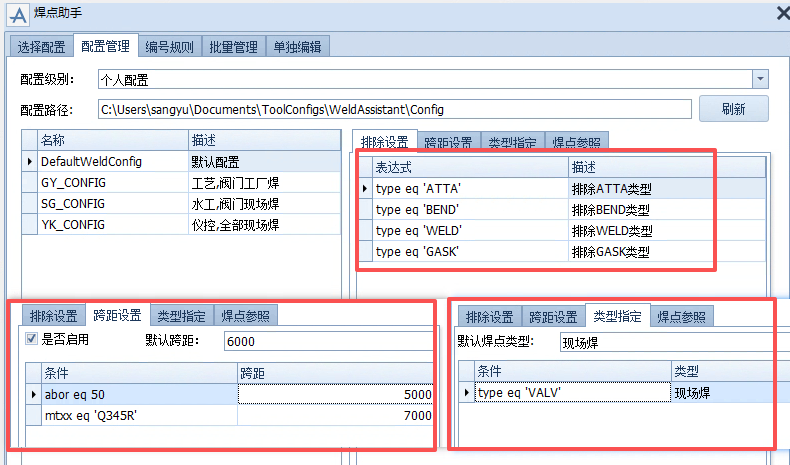
Project standards differ? The Weld Point Assistant provides powerful configuration management. You can customize exclusion settings (such as filtering out valves, flanges and other elements that need no weld points), span settings (automatically adding weld points at fixed intervals along straight pipe runs) and type assignment (matching types by PML expression). Configure once and use it across the whole project; the result is identical whoever runs it, ensuring consistent standards.
Intelligent numbering and centralized batch management
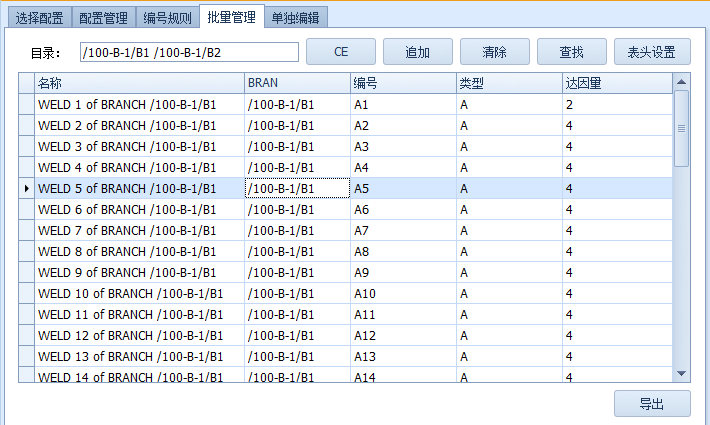
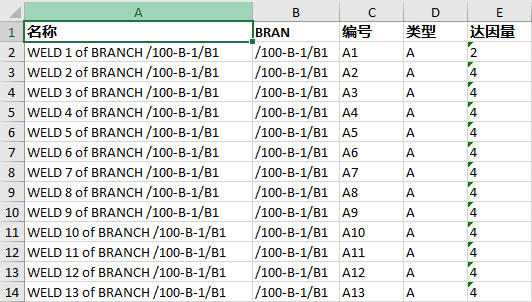
The software includes intelligent numbering logic and a batch management ledger. During model review, when weld points are inserted or deleted, subsequent weld points automatically “make way” or “fill in” (for example, after A4 is inserted it becomes A5 and the original A5 becomes A6); after the review stage the rules are automatically disabled, so released data is never disturbed. In the 【Batch Management】 interface all weld points are listed clearly, the visible table header fields are customizable, and the details can be exported to Excel with one click.