Product Positioning
The Isometric Drawing Enhancement Tool is a batch drawing generation aid deeply integrated with PDMS/E3D. Built on the native Isodraft isometric configuration, it is optimized at the core for scenarios involving massive numbers of pipelines. It eliminates the "stop at the first error" problem of conventional drawing generation and enables unattended batch generation, greatly improving drawing delivery efficiency for piping engineers.
Error-Tolerant, Foolproof Batch Drawing Generation
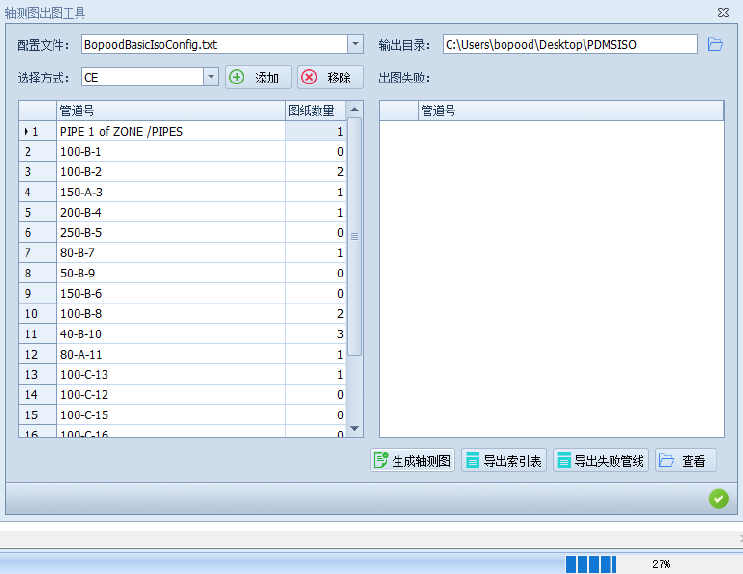
Nothing is worse than a generation run that stops halfway. The tool has a robust fault-tolerance mechanism: during batch isometric generation, if an individual pipeline reports an error, the software does not stop; it skips the failed pipeline and moves on to the next task. Just click 【Generate Isometric Drawings】 and get on with other work while the software quietly completes the bulk drawing job in the background.
Precise Tracking and List Export for Failed Pipelines
When generation finishes, the system automatically counts all pipelines that failed and lists them clearly in the "Drawing Generation Failure" list on the right. Double-click a pipeline number in the list to jump straight to that model in the PDMS tree view, or click 【Export Failed Pipelines】 to generate an Excel list of all failed pipelines. Engineers can then fix the models in a targeted way and clear the way for a second run.
Flexible Pipeline Selection and Directory Configuration
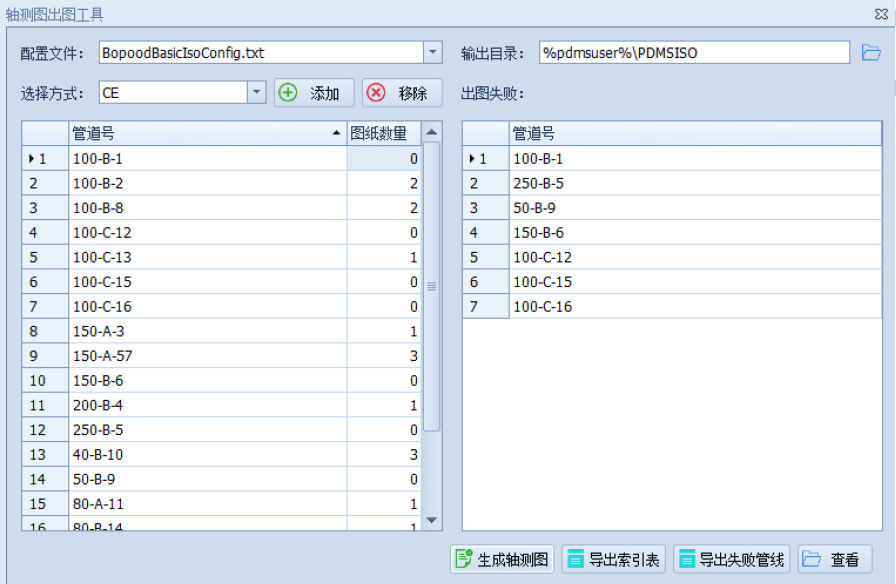
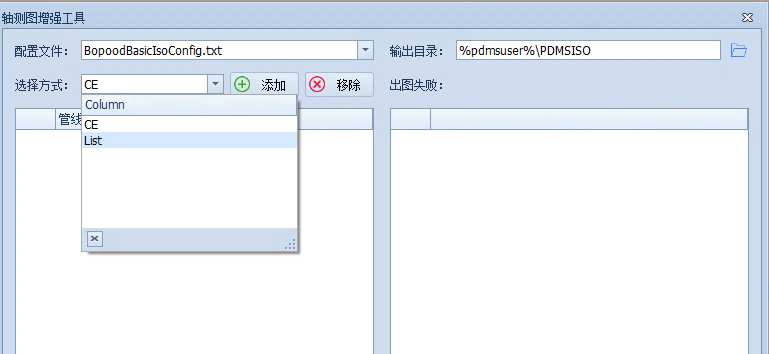
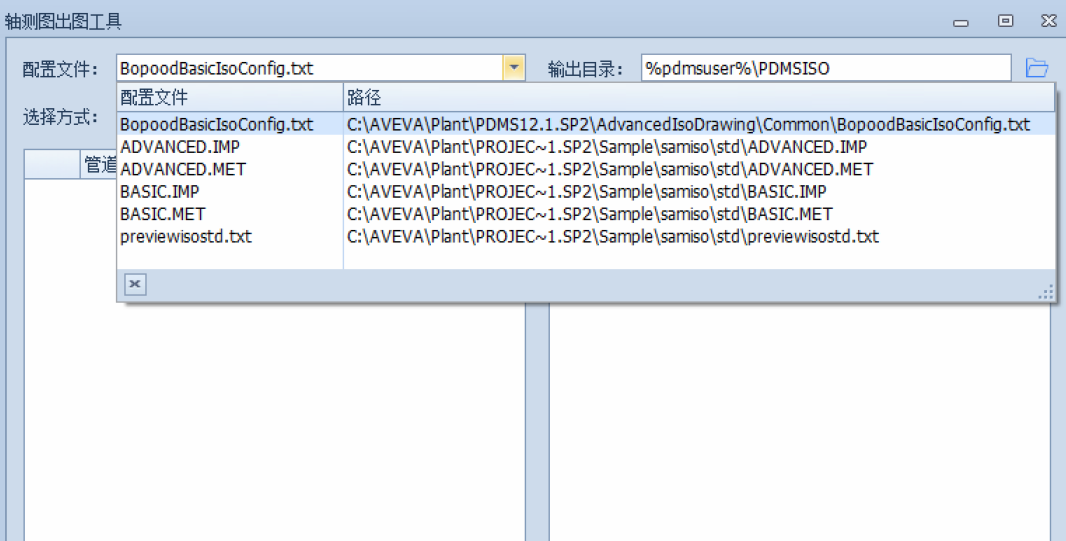
Adding pipelines is extremely convenient. You can use 【CE】 to grab the entire level selected in the current PDMS tree, or use 【List】 to import a custom pipeline list defined in PDMS. The software also calls PDMS native Isodraft configuration files (such as ADVANCED.IMP or BASIC.IMP) directly, so the drawing style matches the original exactly. What you see is what you get.
Customizable Index Table and One-Click Delivery
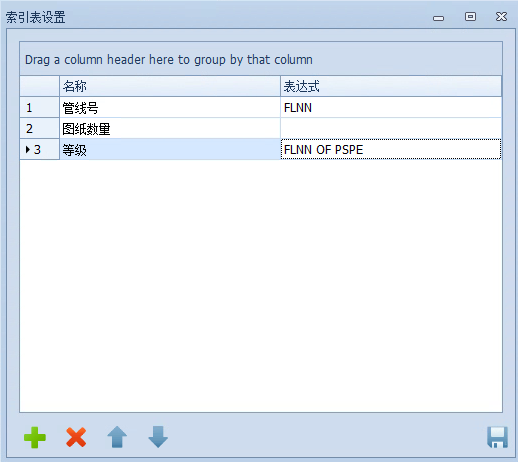
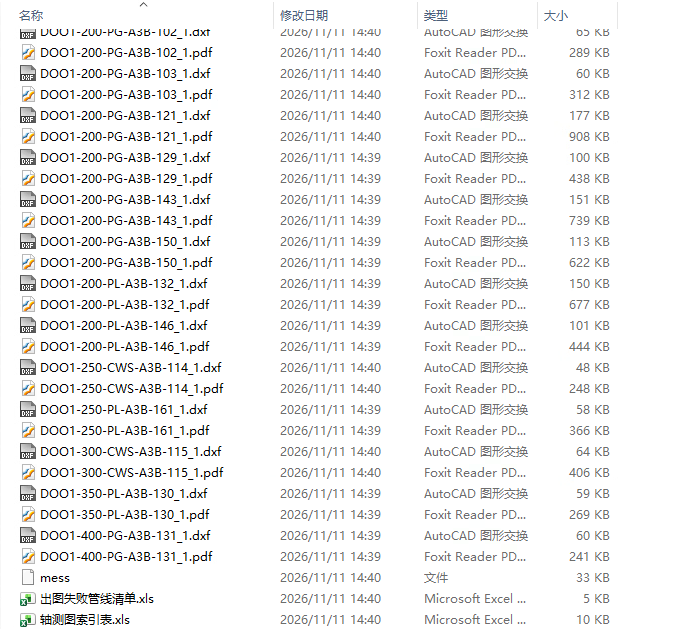
The isometric index table is highly customizable. You can add, delete, and move header fields (such as pipeline number FLNN and specification FLNM OF PSPE) within the software. When generation finishes, click 【Export Index Table】 to output the compiled Excel index table together with hundreds of DXF/PDF drawings to the specified directory. Click 【View】 to open the results folder directly, ready for packaging, sending, or archiving.